

Let your team use any AI. Keep control of all of it.
Run Claude Code on your Claude plan, Codex on ChatGPT, and Cursor, your own apps or any tool on your API keys, with one set of budgets, guardrails and logs over all of it.
Free for 10,000 requests a month. No card, and your developers keep their tools.
Every request, from every tool, in one log. Who paid, and what Tempr did.
Your team already runs five AI tools. Can you answer four questions about them?
What did we spend on AI last month, and on what?
Where are our API keys?
.env files, CI secrets and shell history.Did anything sensitive go into a prompt?
Which tools can our agents call?
Three things every team asks for.
Keep the plans you already pay for. Govern them like everything else.
Claude Code stays on your Claude plan and Codex on your ChatGPT plan, while API keys cover your apps and everything else. Tempr records which plan or key paid for every request.
- Claude Pro, Max, Team and Enterprise; ChatGPT Plus, Pro, Business and Enterprise
- 30 coding plans as providers, from Z.AI and Kimi to MiniMax and Alibaba Cloud
- When a plan is used up, the request moves to the model you chose instead of failing
zai-coding/glm-5.3 on the Z.AI plan, so nobody's session stops.Budgets at every level, down to a single agent run.
Every budget on a request's path applies, from the organization to the key, and a run that would cost too much stops before its next model call. Limits block; they don't send you a surprise invoice.
- Monthly budgets for the organization, teams, groups, members and keys
- Budget rules by hour, day, week or month, on cost, tokens or requests
- Budgets and rate limits for your app's own end users
day cost 20 blockweek requests 5000 warnmonth tokens 40M blockSecrets stay out of prompts. Tools stay in bounds.
Tempr checks what people send and what models answer, in the IDE, the terminal, agent runs and your apps, and it checks every MCP tool call against the tools each person is allowed.
- Flag, mask or block secrets and personal data, with your own patterns too
- Tool Packs: the MCP tools each person, group or key may call
- Per-member sign-in to MCP servers, an audit log, and SSO
- Popular remote MCP servers, such as Linear, Notion and Sentry, with sign-in filled in
One setting per tool. Rules set once. Everything in one place.
Point each tool at Tempr
Developers keep their tools and their sign-ins. They change one setting and add a Tempr key.
// ~/.claude/settings.json: keeps your Claude plan
{
  "env": {
    "ANTHROPIC_BASE_URL": "https://api.temprhq.io",
    "ANTHROPIC_CUSTOM_HEADERS": "x-tempr-key: tvk_..."
  }
}
# ~/.codex/config.toml: keeps your ChatGPT plan
model_provider = "tempr-chatgpt"

[model_providers.tempr-chatgpt]
name = "Tempr Gateway (ChatGPT plan)"
base_url = "https://api.temprhq.io/backend-api/codex"
requires_openai_auth = true
wire_api = "responses"
env_http_headers = { "x-tempr-key" = "TEMPR_API_KEY" }
# any OpenAI SDK: your provider keys stay in Tempr
client = OpenAI(
    base_url="https://api.temprhq.io/v1",
    api_key="tvk_...",
)
client.chat.completions.create(
    model="anthropic/claude-sonnet-5.5", ...)
Set the rules once
In the Portal, for the whole organization or one team, group, person or key: which models and tools, how much to spend, and what never leaves the building.
See everything
Every request from every tool in one log: who sent it, which plan or key paid, what it cost, and what Tempr changed or stopped. Agent runs on Tempr are traced call by call, and on Pro and up you can ask Claude Code, Codex or ChatGPT about any of it.
Want an agent too? Ours runs on the same rules.
A coding agent on your own keys and plans, in the IDE, the terminal and its own app. It follows your organization's published rules and skills, and it stays inside the same budgets and guardrails as every other tool.
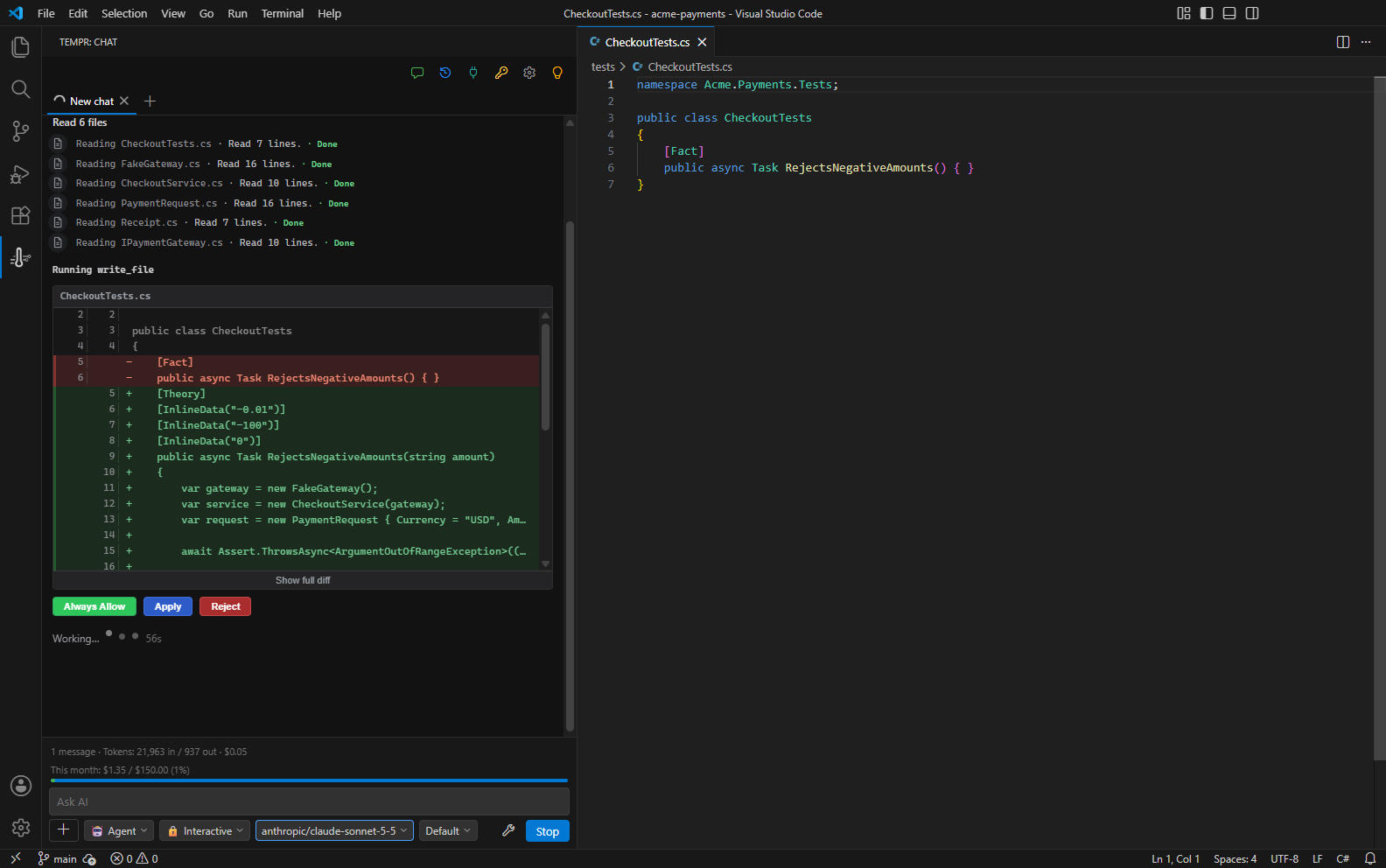
Tempr Chat
Visual Studio, VS Code and JetBrains IDEs: agent, chat, completion and MCP tools.
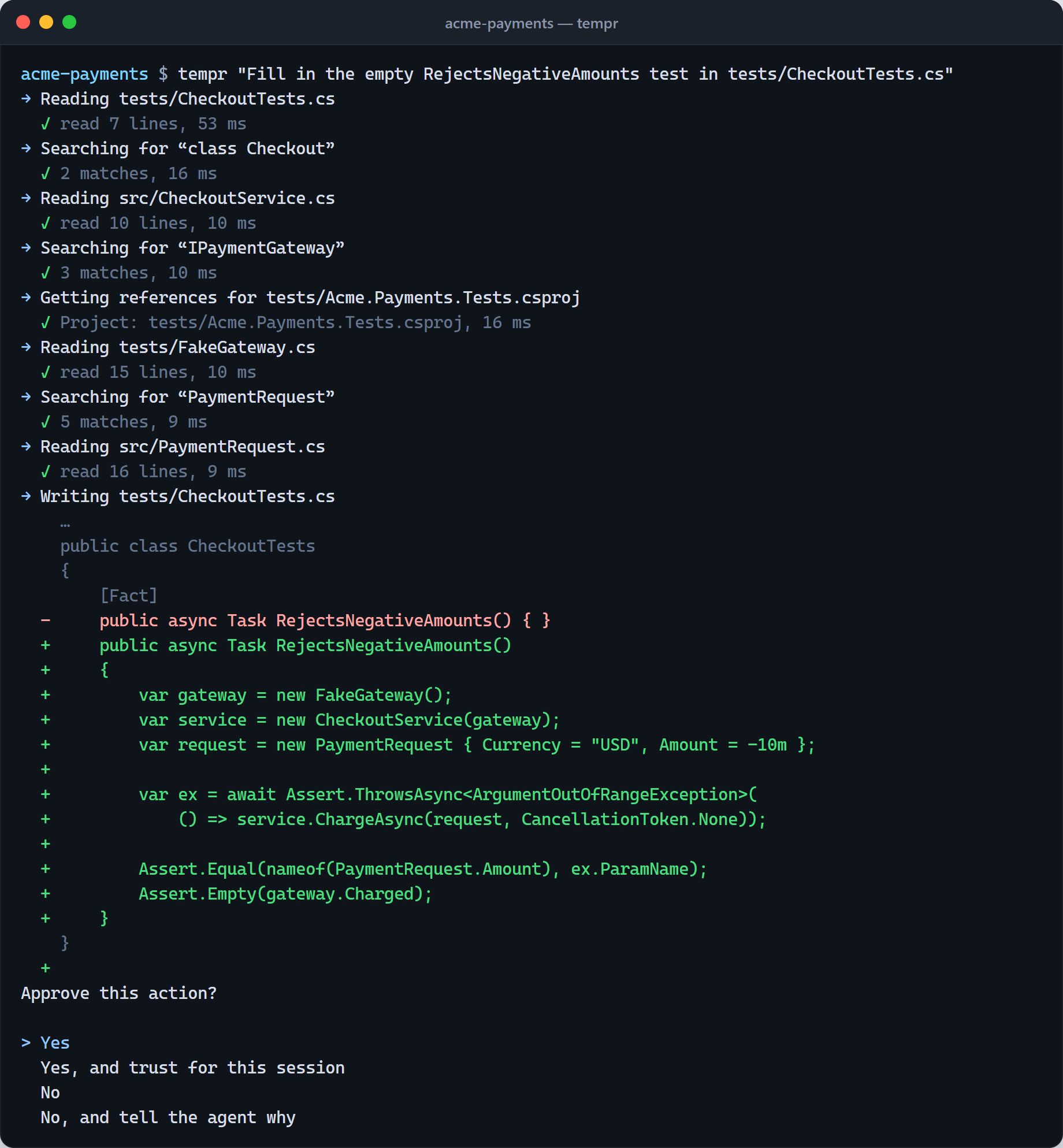
Tempr CLI
Interactive, piped into scripts, in CI, and inside editors like Zed through ACP.
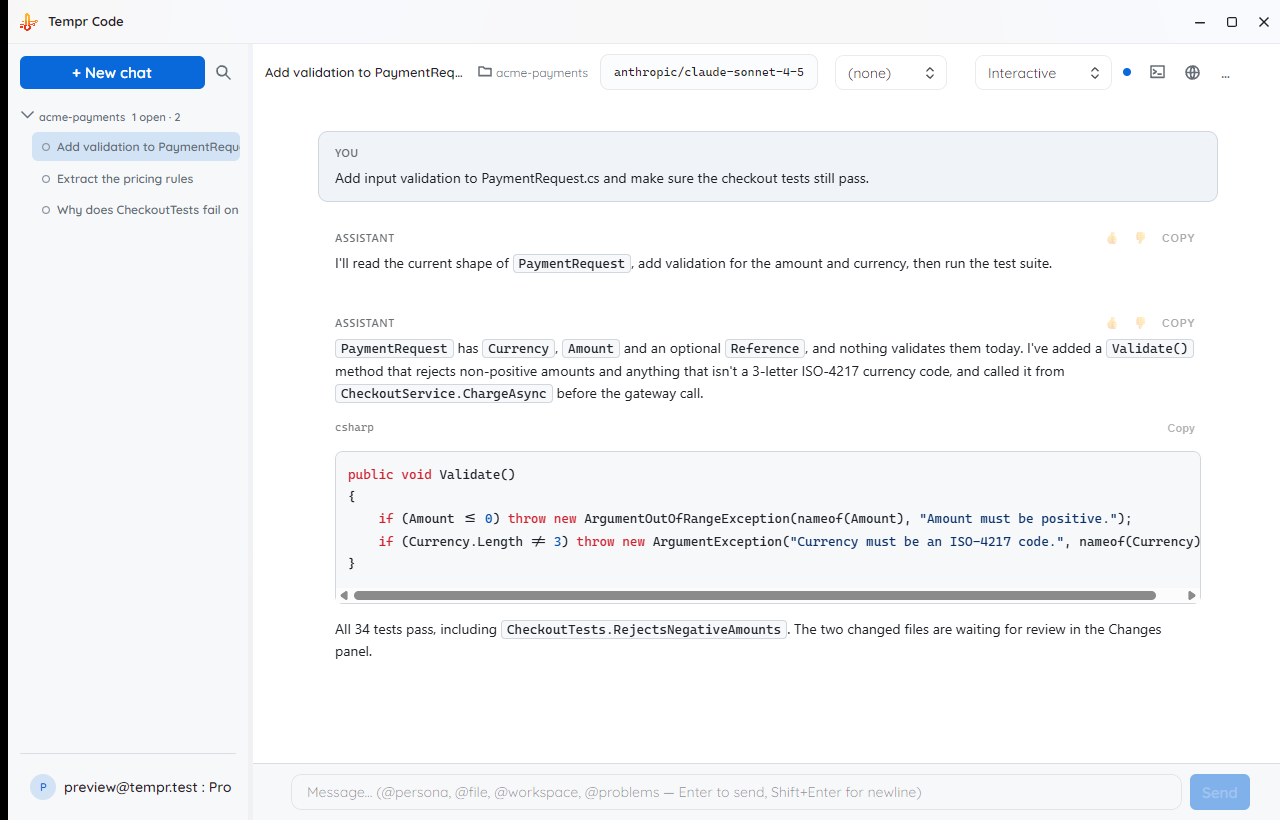
Tempr Code Soon
Parallel chats on their own copies of your repo, plan mode, rewind, and any model, local ones too.
Try it on one tool today. Roll it out when you're ready.
Free
$0 · no card
- 10,000 requests a month across every tool and app
- Your own provider keys and plans
- Request logs, virtual keys, and guardrails that flag or block
- Upgrade in the Portal whenever you outgrow it
From $49 a month
Gateway Pro with one seat included, then $35 a seat. Scale and Enterprise for larger teams.
- Masking, your own data rules, answer scanning and budget rules
- Teams, groups, Tool Packs and plan logins for your organization
- Tempr's agents for every seat, on the same keys and rules
- SSO and a rollout plan with us on Teams and Enterprise
Before you point a tool at us.
Do my developers have to change tools?
No. Claude Code, Codex, Cursor, Cline, Zed and your own apps keep working the way they do. Each one gets a Tempr base URL and a Tempr key, and developers keep their own sign-ins.
How are Claude and ChatGPT plans billed?
The plan keeps paying, exactly as before. Tempr relays the request, applies your rules, and records it with what it would have cost at API prices, so you can see what each plan is worth.
Do you mark up model prices?
No. You pay your providers directly on your own keys and plans. Your Tempr plan pays for the gateway, the Portal and the agents, priced by requests and seats, never by tokens.
What if Tempr has a problem?
Every tool goes back to its provider by changing one setting, because your keys and plans are still yours. Fallback chains also move a request to another model or provider when one fails.