
Your agent, in the terminal.
The same bring-your-own-key agent you use in your IDE, now on the command line. Fire a one-shot prompt at your repo, drop into an interactive REPL, or pipe it into a script — with the same models, personas, and provider keys as Tempr Chat.
● read_file PaymentRequest.cs
● edit_file PaymentRequest.cs
● run_command dotnet build
✔ validation added — build green
~ $ tempr
> @debugger why does CheckoutTests fail █
Everything the IDE agent does, where you already work
A real tool-calling loop — not a chat wrapper. It reads and edits files, runs commands, and semantic-searches your codebase, all from the shell.
One-shot agent turns
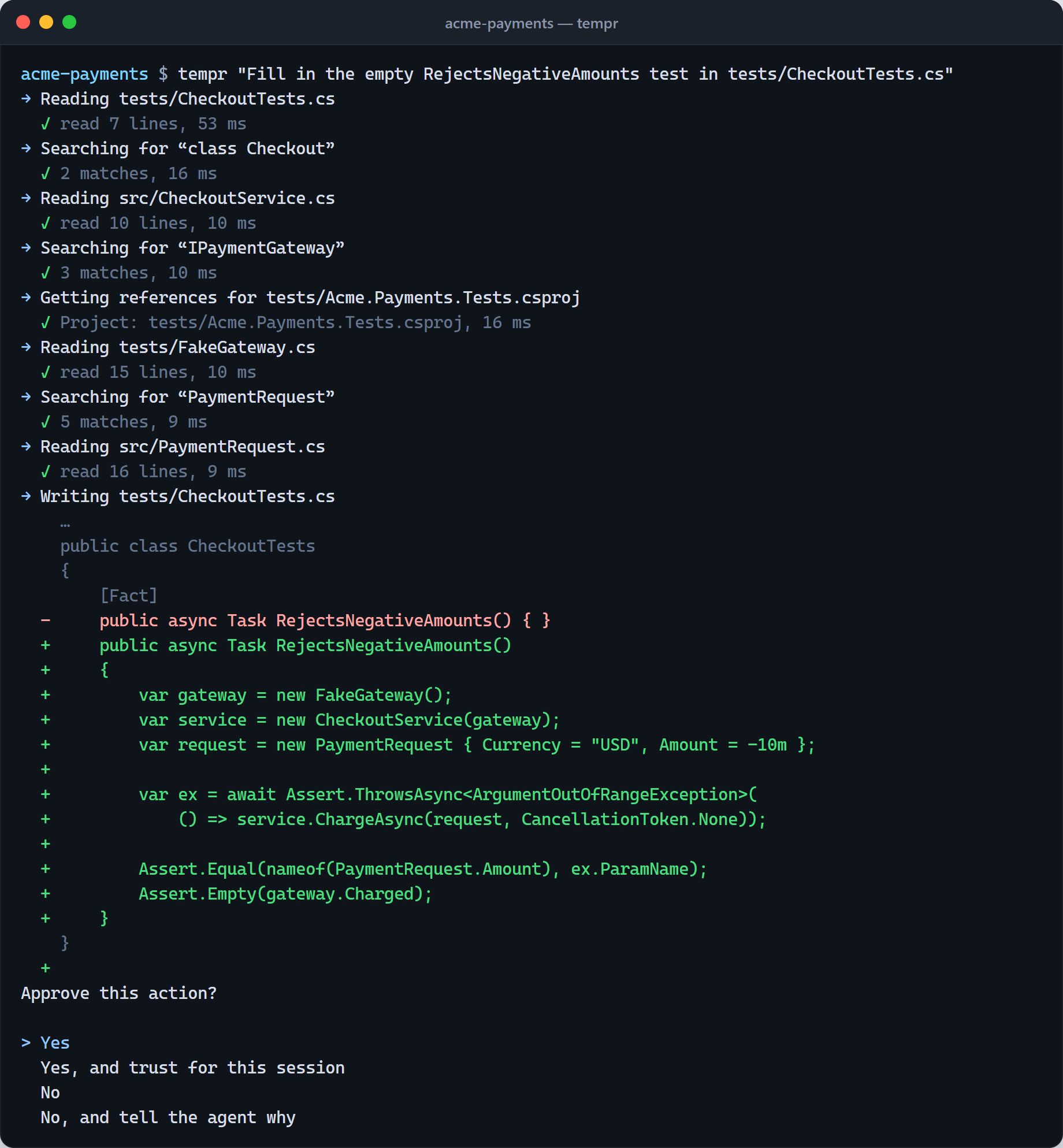
tempr "fix the failing test in CartService" runs a full agent turn with real tool-calling — file read/write/edit, run_command, and semantic search — then hands the terminal back to you.
A real REPL
Run tempr bare for an interactive session with persistent cross-session history, proper line editing on every OS, and tab-completion for /commands and @personas.
Pipes & headless mode
Feed it stdin and read stdout: { echo "what's failing?"; cat error.log; } | tempr works like any other Unix tool, so you can script it into builds, cron jobs, and pipelines.
Specialist personas
The same named personas as the IDE: tempr "@debugger why does this fail" scopes the prompt and tool set to a specialist. @test, @review, @security, and the rest of the lineup work too.
MCP in the terminal
tempr mcp add connects the same Model Context Protocol servers you use in the IDE, so your custom tools and data sources follow you to the shell.
Same BYOK providers
Your key, your model — the full supported-provider allowlist (OpenAI, Anthropic, Google, OpenRouter, and more) works exactly as it does in Tempr Chat.
Runs on your existing license
No separate subscription. Sign in with the license key you already use — Standard, Pro, Teams, or a seat that comes with Gateway Pro or Scale — and the CLI is another surface on the same account.
Cross-platform & resilient
Self-contained builds for Windows, macOS, and Linux, on x64 and Arm64 — no runtime to install. The agent loop runs server-side like the IDE, so a flaky connection doesn't kill a long turn.
See it in action
The CLI itself, and what a terminal run leaves behind in the Portal — every agent turn is traced, costed, and searchable after the fact.
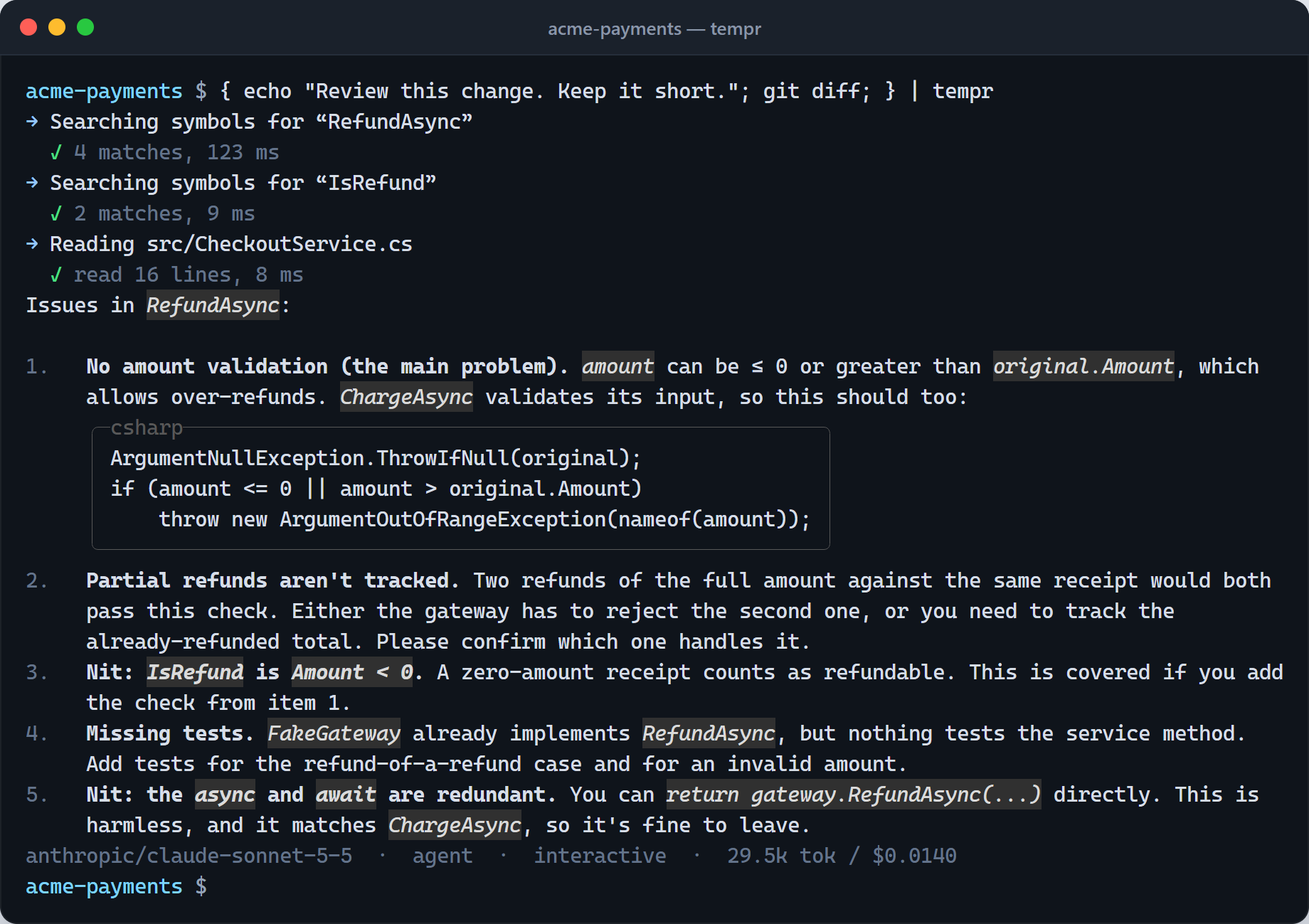
git diff goes in, and a review of the change comes back.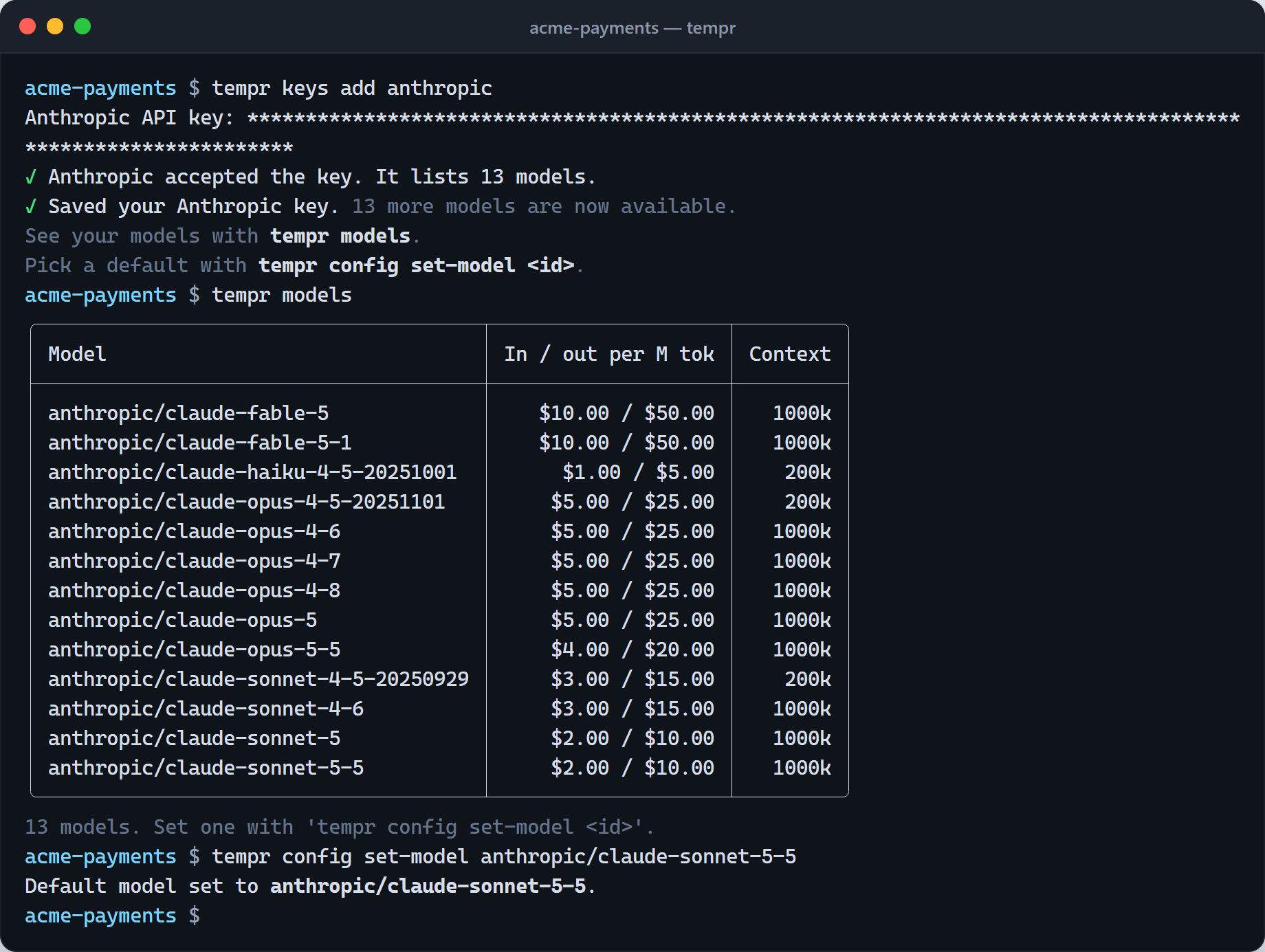
tempr models lists what it unlocks, with prices.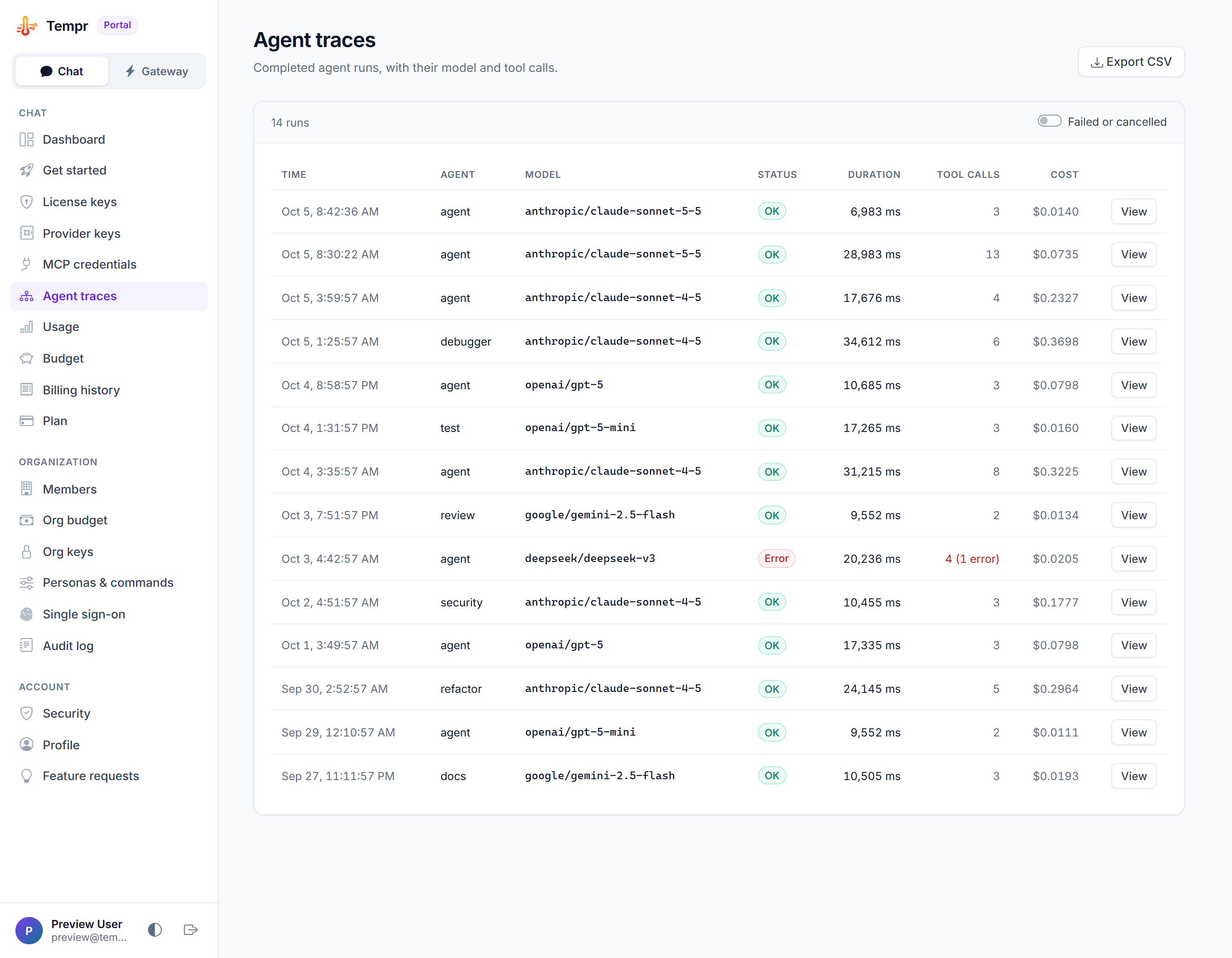
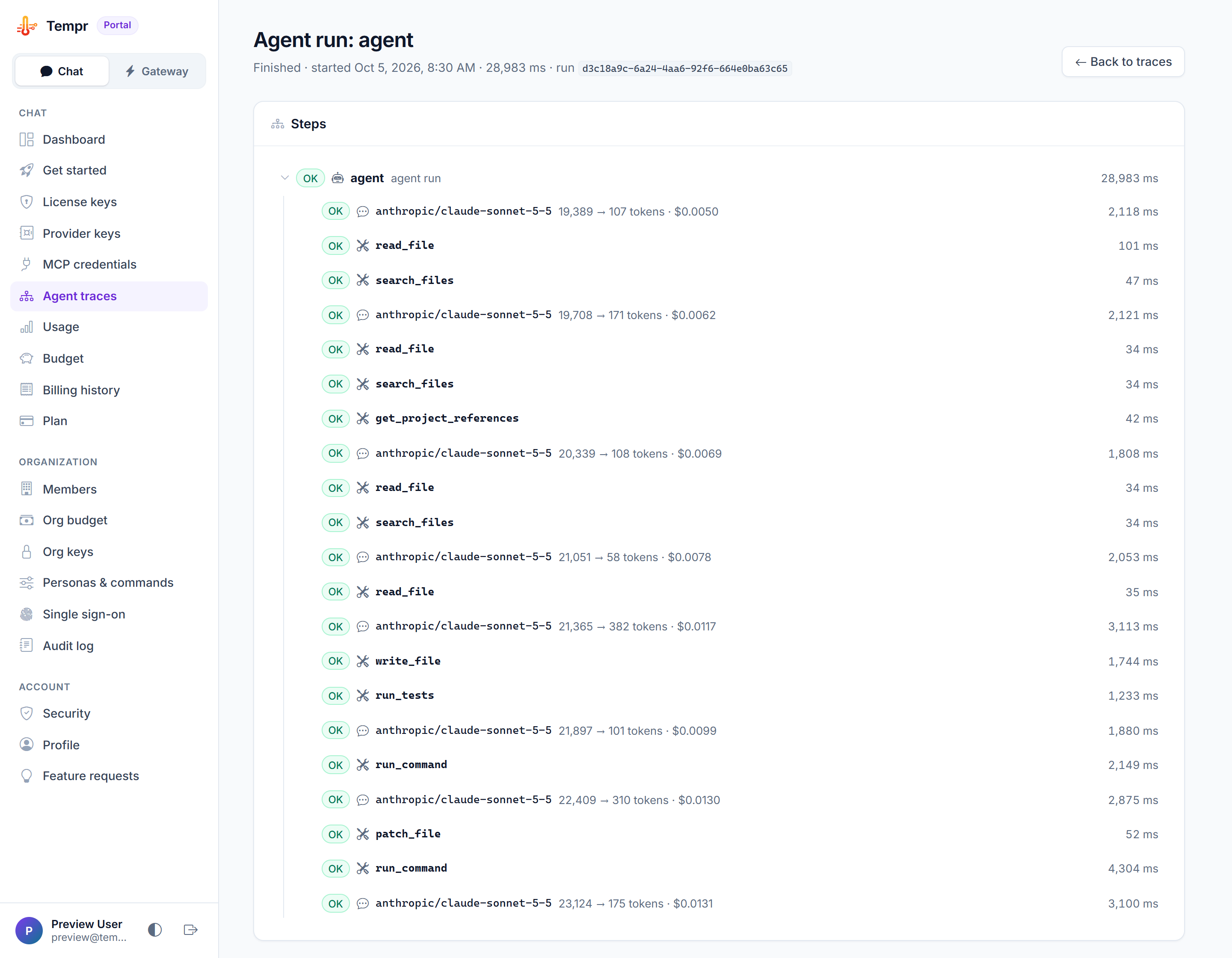
Real tempr sessions on a demo project, and the runs they left in the Portal.
Capabilities at a glance
Everything the CLI can do, and the exact invocation for each — the same agent, models, and personas as the IDE.
| Capability | How you use it |
|---|---|
| One-shot agent turn with full tool-calling | tempr "fix the failing test in CartService" |
| Interactive REPL — persistent history, tab-completion | tempr, then /help |
| Headless / piped mode | { echo "review this:"; git diff; } | tempr |
| Plain chat, no tools | tempr --ask "…" |
| Specialist personas | tempr "@debugger why does this fail" |
| Per-run model override | tempr -m <id> "…" |
| Run unattended: edits and allow-listed commands without asking | tempr -y "…" |
| Resume a saved session | tempr --id <SESSION_ID> "continue", or tempr -c for this folder's last one |
| See and undo what the last turn changed | /diff, /undo in the REPL |
| Machine-readable event stream | tempr --json "…" — one event per line, then a result object |
| Token usage and cost per turn | tempr --verbose |
| Local cost by model | tempr usage |
| MCP servers | tempr mcp add / tempr mcp browse / tempr mcp list |
| Files, whitelisted commands, semantic search, symbols, tests, diagnostics | Built into every agent turn |
| Sub-agent delegation | Automatic — the agent hands sub-tasks to personas mid-turn |
| Cross-platform | Self-contained builds — Windows, macOS, Linux, on x64 and Arm64 |
All of it on your existing Chat license, or a seat on your Gateway plan — no separate subscription. Full command details in the command reference.
Up and running in a minute
1. Install
One line, nothing needed first — the download is self-contained.
macOS and Linux
curl -fsSL https://temprhq.io/cli/install.sh | shWindows (PowerShell)
irm https://temprhq.io/cli/install.ps1 | iexOr download a build directly, or use npm, Homebrew, Scoop or NuGet.
2. Sign in
Authenticate once with your Tempr license key — the same one you use in the IDE:
tempr auth3. Add a key, pick a model
Add your own key for a provider, then set a default model; override it per-prompt whenever you like:
tempr keys add
tempr config set-model <id>
4. Put it to work
One-shot a task, or open the REPL:
tempr "explain this repo"
tempr| Command | Does |
|---|---|
tempr "<prompt>" | One-shot agent turn with real tool-calling |
tempr | Interactive REPL with persistent history and tab-completion |
<something> | tempr | Headless/piped mode — reads the prompt from stdin, prints to stdout |
tempr --ask "<prompt>" | Plain chat, no tools |
tempr "@debugger <prompt>" | Run a specialist persona |
tempr config | Manage settings and your default model |
tempr history | Browse saved sessions |
tempr mcp | Add, list, and manage MCP servers |
tempr doctor | Check connectivity and diagnose your setup |
Run tempr --help for the full command reference — or read it in the CLI docs, including the scripts, pipes & CI guide.
Direct downloads
Every build is self-contained — no .NET runtime required. These links always serve the current release; each has a .sha256 beside it to check the download against.
Package managers
The same release, through a tool you already use. Update it the same way you installed it — tempr update tells you which.
| Package manager | Install |
|---|---|
| npm Windows, macOS, Linux | npm i -g @tempr/cli |
| Homebrew macOS, Linux | brew tap chrissalomon/temprbrew trust chrissalomon/temprbrew install tempr |
| Scoop Windows | scoop bucket add tempr https://github.com/chrissalomon/scoop-temprscoop install tempr |
| NuGet .NET global tool | dotnet tool install -g Tempr.Cli — needs the .NET SDK |
Same keys, same models
The same ~30-provider allowlist as Tempr Chat — your key, your model, straight from the terminal. A few of the most popular:


CLI FAQ
The questions specific to the terminal. Account, licensing, and provider questions live on the general FAQ page.
curl -fsSL https://temprhq.io/cli/install.sh | sh (or irm https://temprhq.io/cli/install.ps1 | iex on Windows) is all it takes — there's no runtime to install first. You can also download a build directly and put tempr on your PATH.{ echo "review this:"; git diff; } | tempr — and --json, -y, and TEMPR_LICENSE_KEY cover unattended runs, so you can drop it into scripts, build steps, and scheduled jobs.@debugger, @test, @review, @security, and the rest — invoked as tempr "@debugger why does this fail". Tab-completion in the REPL lists them all.Also on your account
Same agent, same keys, same login — wherever you're working.